On the App Store · iPhone · iOS 26
Prayer times without ads. An alarm that actually wakes you up.
Prayer, at the right time.
Just the times, at a glance. An alarm that rings on silent. The same times on your Lock Screen, in a Live Activity, in widgets and on Apple Watch. No ads, no tracking, no account.

Dawn
Alarm
An alarm that actually wakes you up
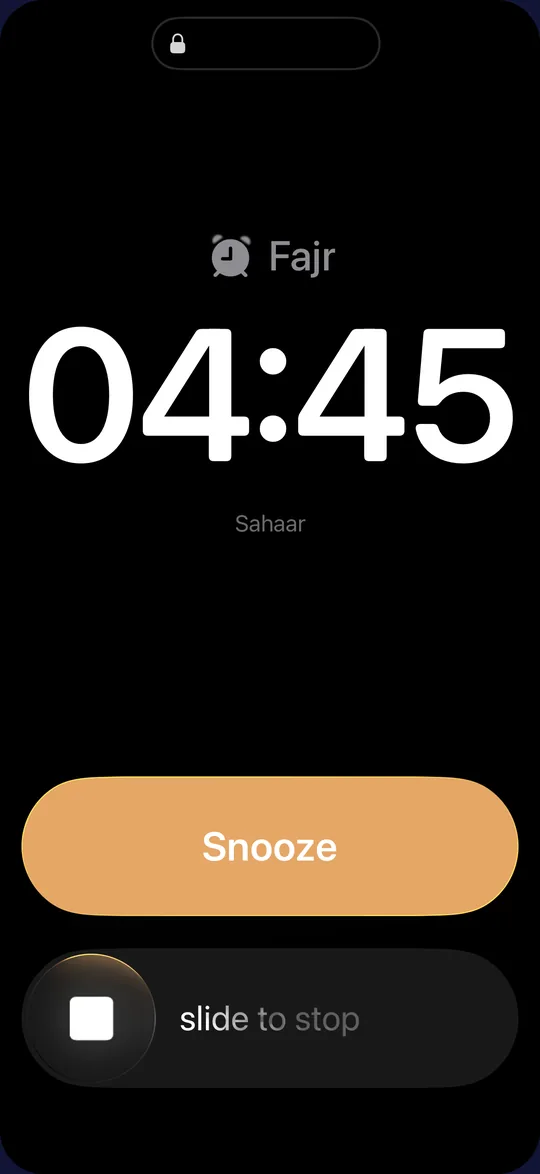
Sahaar’s alarm works like the one in the iPhone’s Clock app: it rings on silent, it rings through Focus, it doesn’t stop after 30 seconds, and it keeps going until you turn it off. Every prayer is set separately: off, notification or alarm. For Fajr you can also choose when it rings: at Fajr, or 15 to 60 minutes before Fajr or before sunrise. With Sahaar Pro, each prayer can have its own sound: one of four adhans (Fajr, Mecca, Medina or a plain call to prayer, played in full) or one of five original sounds. You can listen to each before you pick. On the free plan the Fajr alarm still rings, with the iPhone’s default alarm sound.
- Off
- Notification
- Alarm · Fajr, or up to 60 min before Fajr or sunrise
Alarm days and snoozing
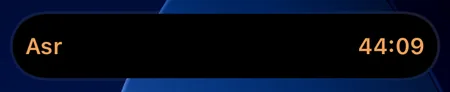
Sahaar Pro lets you choose which days of the week your alarms run and set the snooze length. The free Fajr alarm runs every day with a nine-minute snooze. While an alarm is snoozed, its countdown stays on the Lock Screen and in the Dynamic Island.
A reminder before a prayer’s window closes, and the times in between
Free, and separate from the alarm: an optional notification 15, 20, 30 or 45 minutes before a prayer’s window ends, for any of the five prayers. It doesn’t fire if you have already marked the prayer done. The Today screen also shows midnight, the last third of the night, mid-morning (duha) and the disliked (karahah) times, explained on the “How times are set” page.
Rings with silent on
Accuracy
You can see how your times are calculated
Choose from 18 methods, including ISNA, Muslim World League, Umm al-Qura, Egypt, Karachi, Moonsighting Committee and Diyanet, with the standard or Hanafi Asr measure (1× / 2× shadow) and high-latitude rules for the UK and northern Europe. If your mosque’s times differ by a few minutes, Sahaar Pro lets you shift each prayer up to 15 minutes either way, and the label on screen shows the adjustment. The method and its source stay on screen, so you always know where a time comes from.
Times are worked out on your iPhone, so they keep coming with no signal at all. When you travel, Sahaar notices: change city, country or time zone and your times follow you. If you haven’t pinned a method yourself, it also switches to the one recommended where you are now.
3 Rabi’ al-awwal 1448
16 August 2026
Diyanet-compatible
- Diyanet · standard Asr (1×)
- Muslim World League (MWL)
- Umm al-Qura · ISNA · Egypt · Karachi
Today
The whole day on one screen
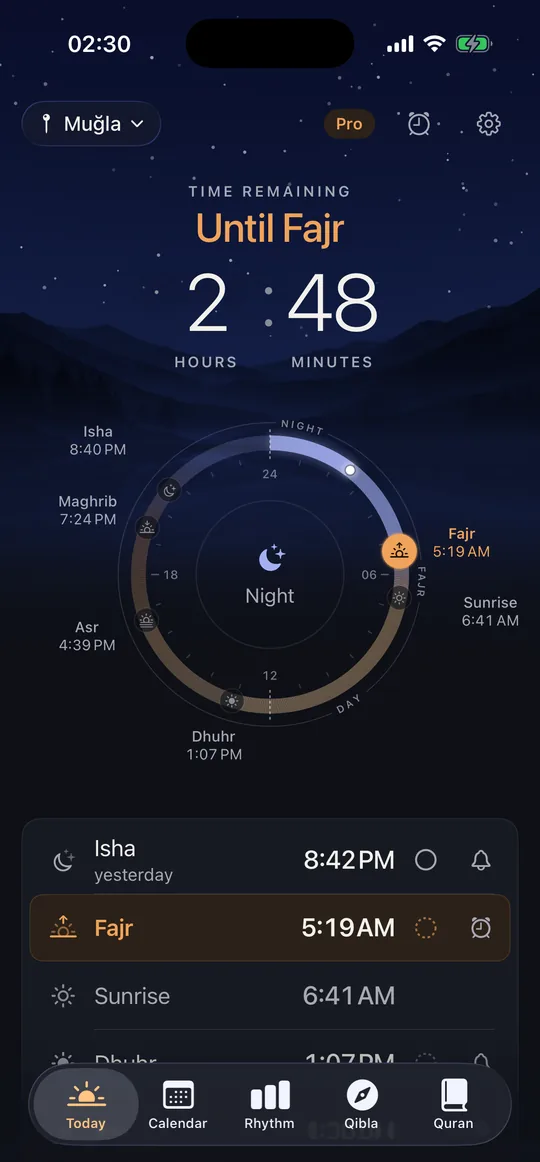
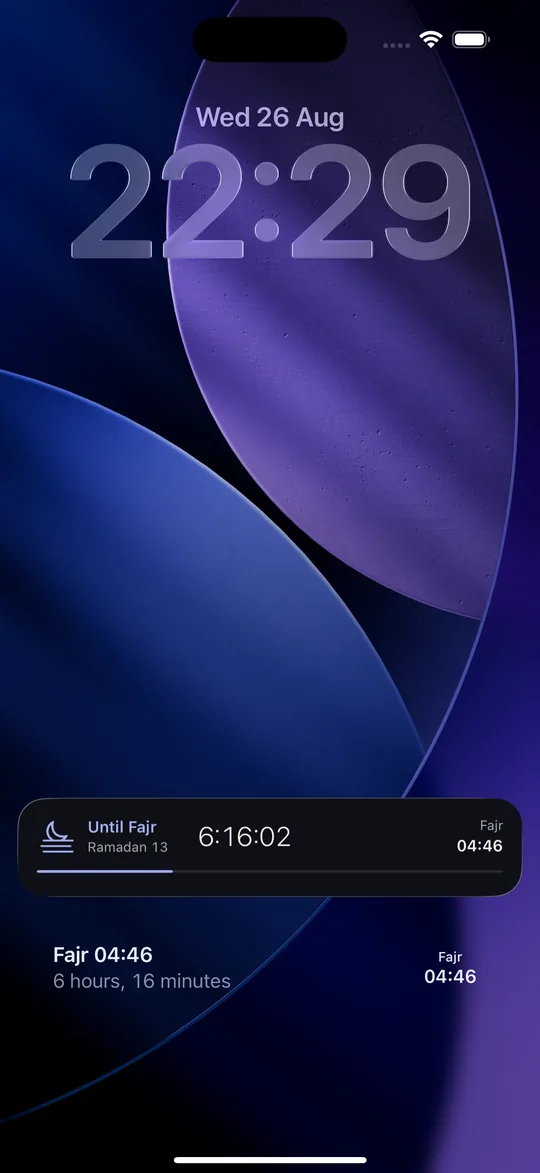
The time to the next prayer sits at the top of the screen in hours and minutes, under a sky that changes with the sun; seconds appear only in the last ten minutes. Below it, a 24-hour dial places every time of the day at its real hour and marks the next one, so the whole day, night included, reads at a glance. The qibla and the local weather sit in two small cards further down. In Ramadan, open Sahaar within eight hours of iftar or Fajr and the countdown appears on your Lock Screen and in the Dynamic Island; with Sahaar Pro, opening the app within an hour of any prayer starts its countdown all year. On Fridays, the Dhuhr row reads “Dhuhr · Jumu’ah”.
Rak’ahs, by school
Long-press any prayer on the Today screen for its rak’ahs: the obligatory count is the same in all four schools, and sunnah and Witr change with the school you pick: Hanafi, Shafi’i, Maliki, Hanbali or obligatory-only. Every number links to its source; the page states counts, not rulings. Free.
Ramadan
Before Ramadan, Sahaar asks once. You decide.
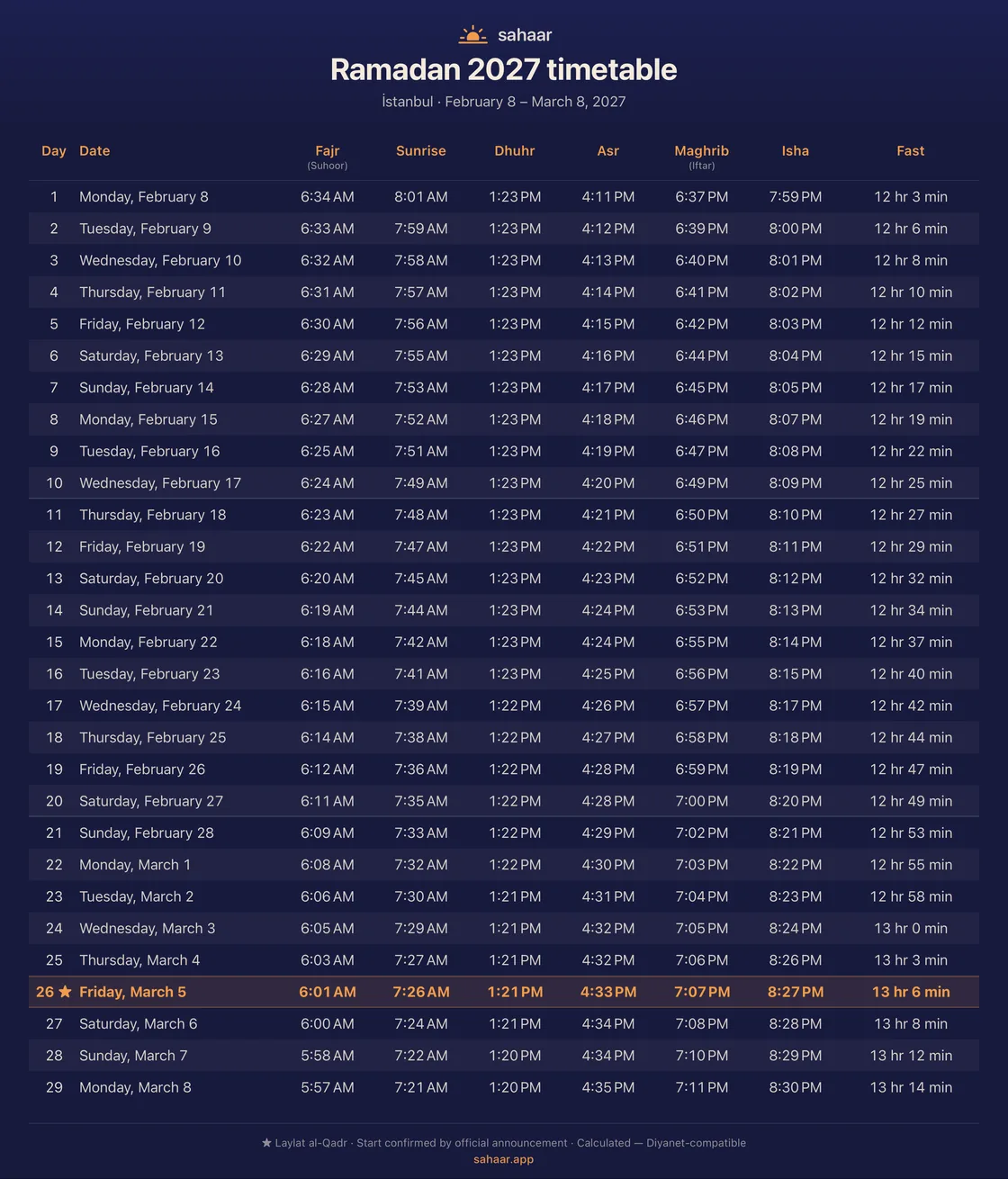
A few days before Ramadan starts, Sahaar asks whether to move the Fajr alarm earlier for suhoor. It asks once, and nothing changes unless you say yes. Open Sahaar within eight hours of iftar or Fajr and its countdown appears on your Lock Screen and in the Dynamic Island. Your city’s full Ramadan timetable is in the Calendar tab, a day per row.
Keep a record of your fasts
During Ramadan, the Today screen asks after iftar whether you fasted that day. Recording your answer is free. Sahaar Pro adds the fasting column to Rhythm, alongside your prayer record.
| Ramadan | Fajr | Iftar |
|---|---|---|
| 1 | 06:34 | 18:37 |
| 2 | 06:33 | 18:39 |
| 3 | 06:32 | 18:40 |
| 4 | 06:31 | 18:41 |
Imsakiye
An imsakiye worth sending
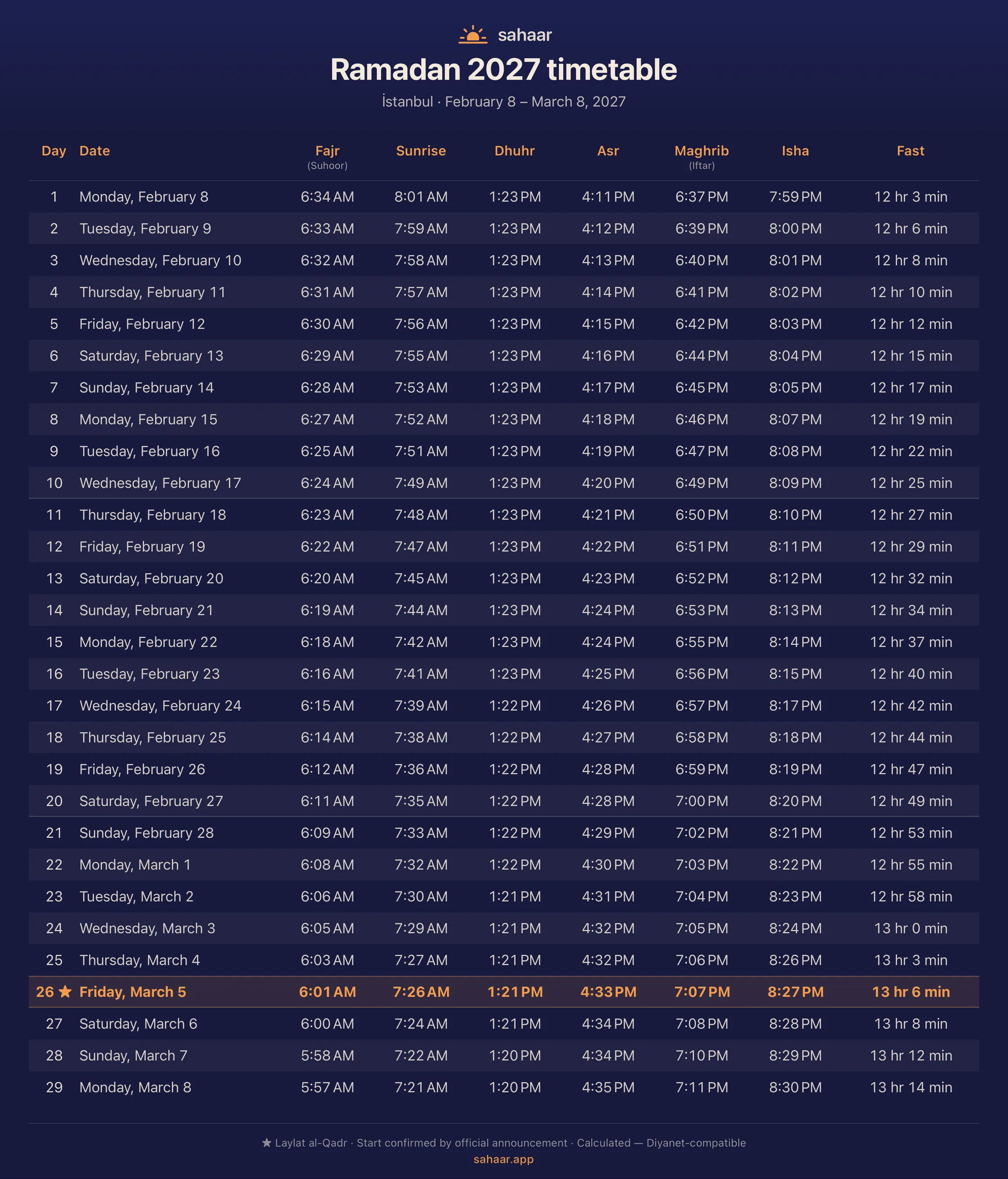
One tap in the Calendar tab turns the month, or the whole of Ramadan, into an image card in Sahaar’s own colours. The Ramadan card shows each day’s fasting length and marks Laylat al-Qadr; the method and source are printed at the bottom.
From there it is an ordinary image: send it to the family group, keep it in your photos, or print it for the kitchen door.
PDF, calendar and .ics export
Sahaar Pro can make a PDF, add prayer times to Apple Calendar or share an .ics file. You can also remove the events Sahaar added to Apple Calendar from the Calendar tab; that cleanup remains free if your subscription ends.
Islamic calendar
The Hijri year, on the same screen
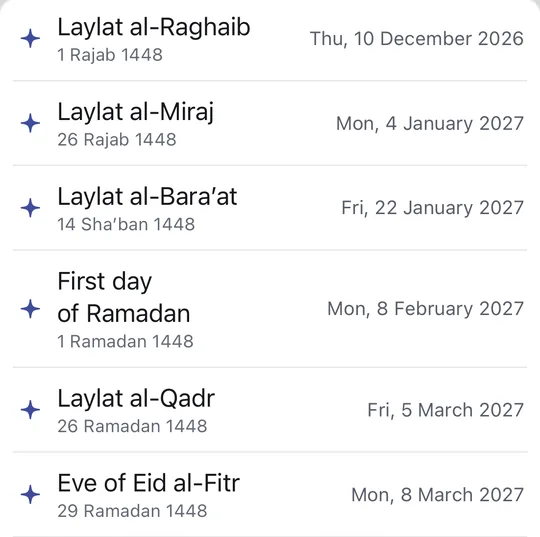
Pick any day and its Hijri date is right there on the card; the week and month headers show the Hijri span, and the religious days keep a list of their own: the kandil nights, Laylat al-Qadr, the eves, both Eids, Ashura and the Islamic new year, each with its Hijri and Gregorian date.
You choose the source of the religious-day list: Diyanet, Umm al-Qura, ISNA/FCNA or ECFR. The kandil nights belong to the Turkish tradition, so they appear only under Diyanet.
Religious-day reminders
Turn on religious-day notifications in Settings to receive reminders for the dates in your chosen list. This option is free, and you can turn it off at any time.
Widgets
A widget for however you glance at it
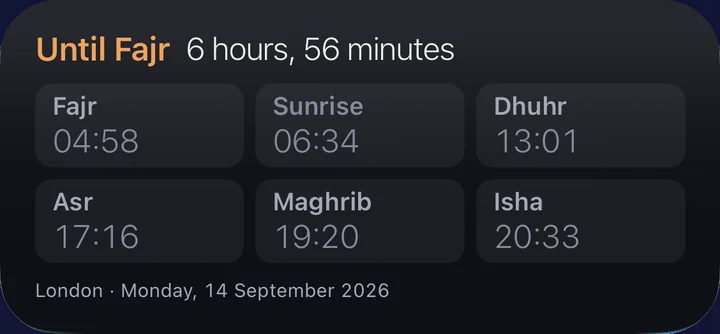
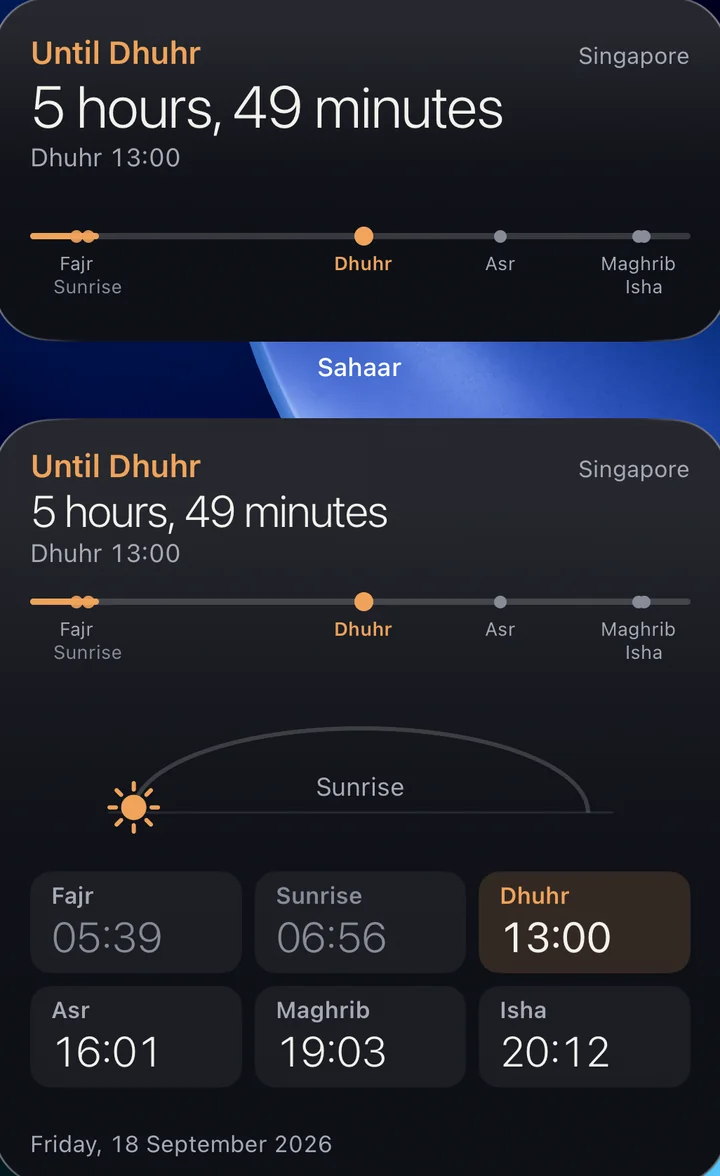
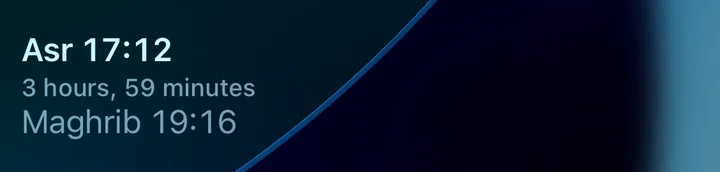
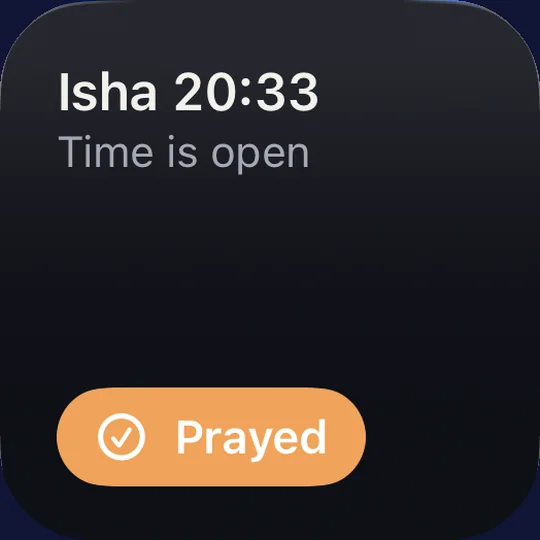
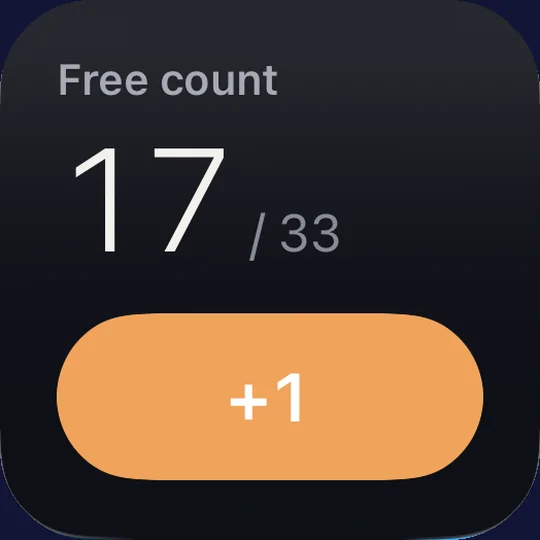
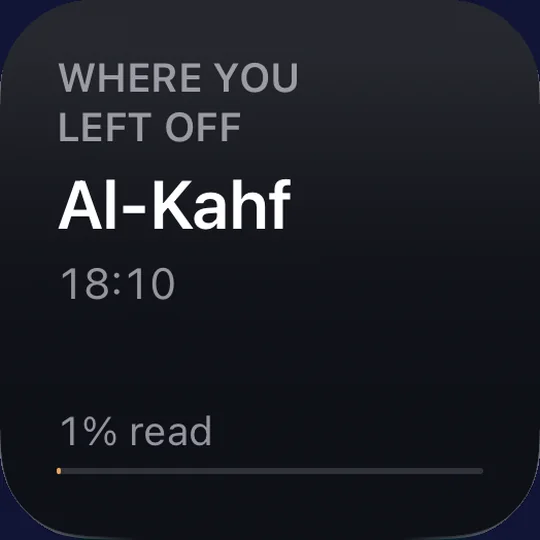
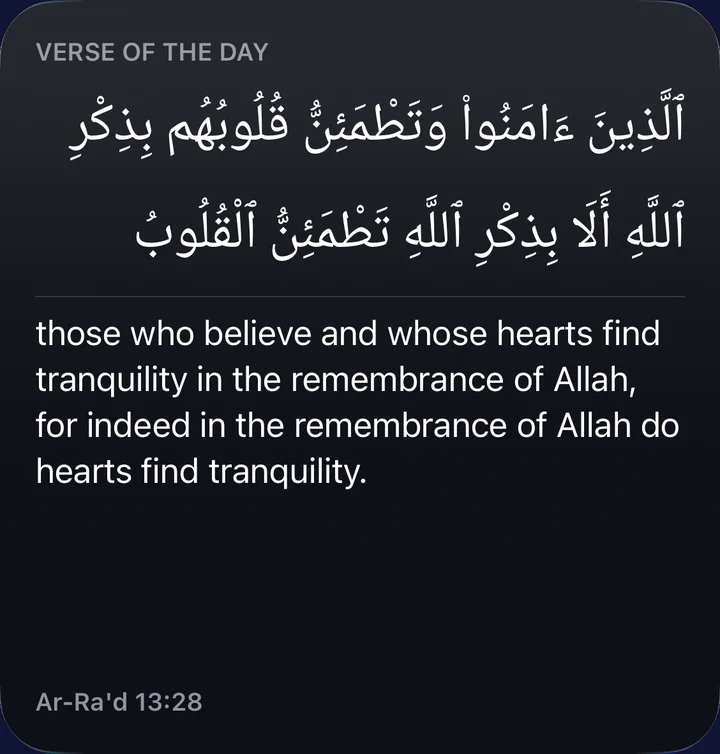
Two widgets are free: the next prayer on your Lock Screen or Home Screen, and today’s six times in one glance. Sahaar Pro adds six more: a day timeline, two prayer times together, one-tap prayer marking, a dhikr count, and two for the Quran. Every widget follows System, Light or Dark appearance, and the small ones also show up in StandBy.
Apple Watch
On your wrist too
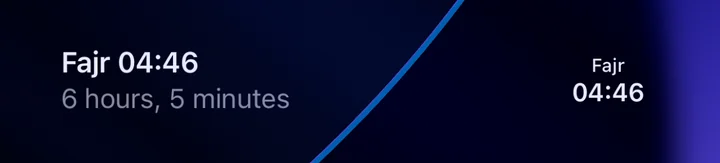
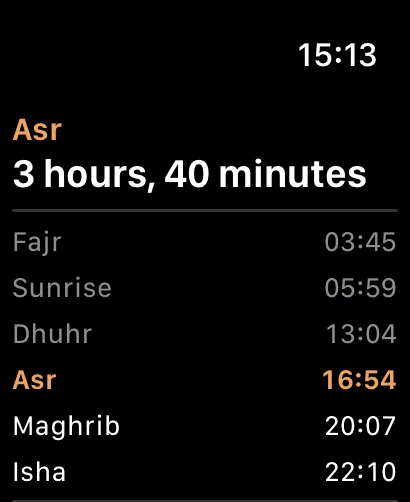
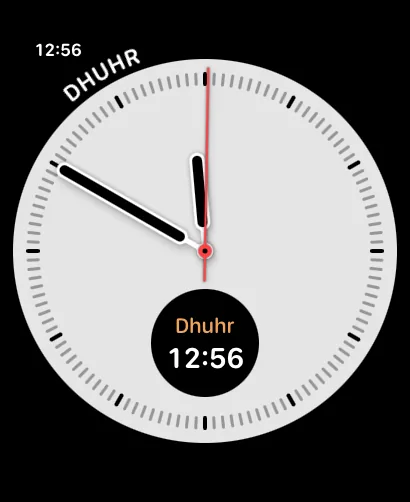
The Watch app lists today’s six prayer times with the next one highlighted, free. The Next prayer complication puts the same on your watch face (circular, rectangular, inline or corner), also free.
With Sahaar Pro, the Day complication shows the next three prayers at once, and the dhikr counter comes to your wrist too: count with the Digital Crown or a tap, with haptic feedback, and the count stays in sync with your iPhone.
Control Center and Siri
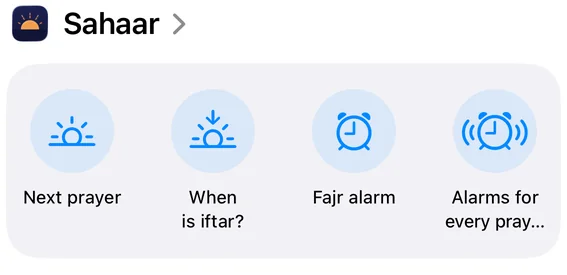
The Fajr alarm, one tap from Control Center
Add the Fajr alarm control to Control Center or the Lock Screen and switch it on or off with one tap; Sahaar opens for a moment to set the alarm, and off falls back to a notification. With Sahaar Pro, a second control turns every prayer into a real alarm at once, or back to its default.
Sahaar also answers Siri and shows up in the Shortcuts app. Four phrases are free; asking for every prayer’s alarm needs Sahaar Pro, and Siri says so if you don’t have it yet.
- “Next prayer in Sahaar”
- “When is iftar in Sahaar”
- “Turn on the Fajr alarm in Sahaar”
- “Turn off the Fajr alarm in Sahaar”
- “Set alarms for every prayer in Sahaar” · Sahaar Pro
Qibla
Two ways to trust the qibla
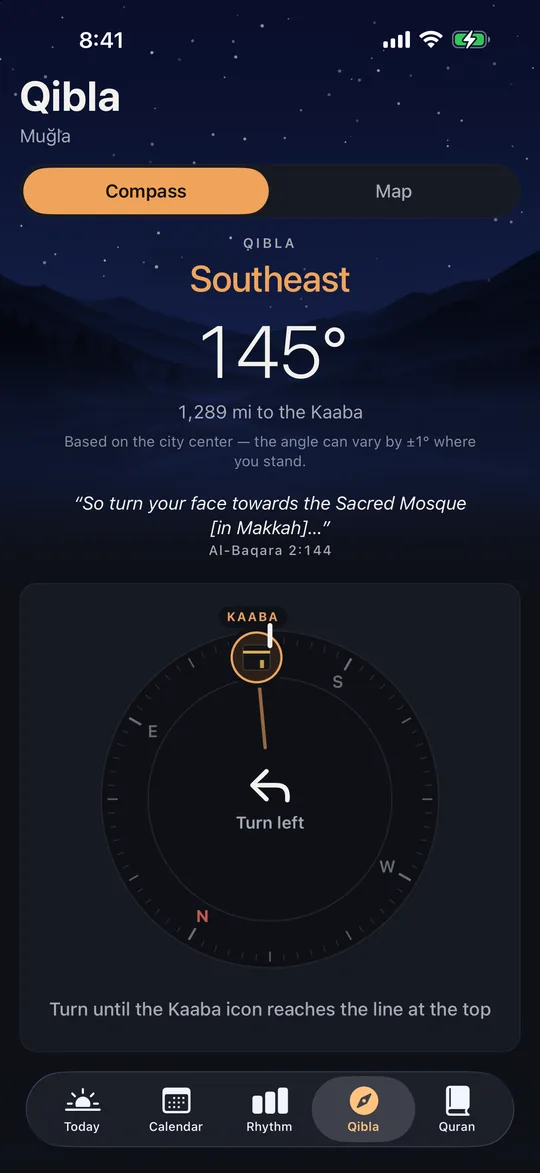
The compass shows the direction of the Kaaba and how far away it is, and your iPhone taps when you face it. The satellite map draws the same line from where you stand, so when a compass feels unreliable you have a second way to check.
Quran
The Quran, in the same app
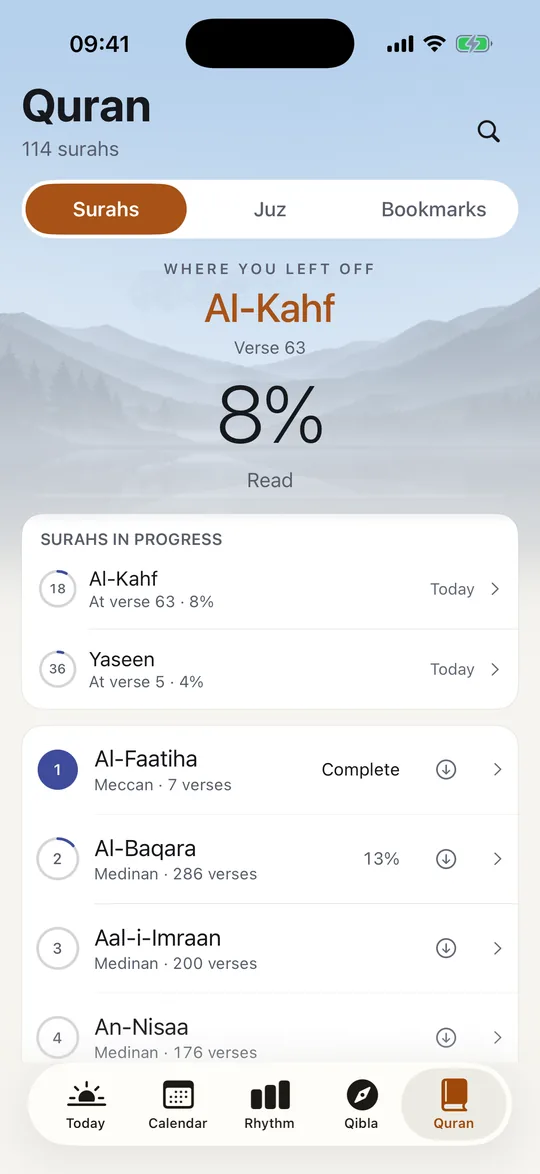
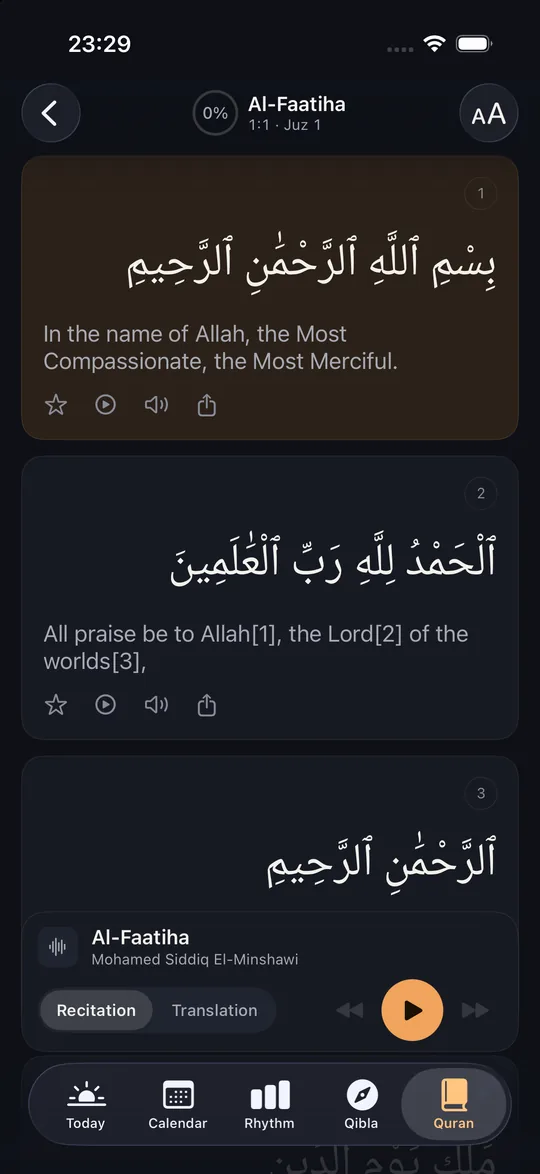
Sahaar tells you when to pray. The Quran tab is what you open in between: 114 surahs with the Arabic text and a translation. The verse you stopped at waits where you left it, and each surah keeps its own record of what you have read. No second app, no account, no sign-in.
Reading. The Arabic above, the translation below, in the language your iPhone is set to. Tap the star beside a verse to keep it. When the app is in Turkish, the book icon also opens Al-Mukhtasar tafsir.
Keeping track. A verse counts as read once you scroll past it yourself; opening a surah, jumping to a verse or flicking quickly past a long stretch does not. Each surah in the list fills its own ring, the reader’s header shows how much of that surah is done, and the Full reading card counts the whole Quran across its 30 juz. Already read up to some point, on paper or in another app? Long-press that verse and choose “Mark read up to here”; everything before it is marked too.
Finding. One search box. Type a surah name, a reference like 2:255, or words you remember from the translation, and the results come back under those three headings.
Listening. Al-Minshawi’s recitation, surah by surah or verse by verse. Every verse card has a play button that starts the recitation from that verse. You can see where the reciter is. The word being recited is marked as he reads it, a thin line under the verse shows how far into it he has gone, and the page follows him on its own. Scroll away to read somewhere else and it stops following; a small “Back to the recitation” button appears, and one tap returns you.
One player bar covers both. A Recitation · Translation switch lets you hear Al-Minshawi or, with Sahaar Pro, the translation itself read aloud in your iPhone’s voice, verse by verse, with each word marked as it is read. That helps if you don’t read the Arabic script but want to follow along by ear. The player stays with you across the Quran tab and keeps playing with the screen off, answering the Lock Screen and Control Center like any other audio. A prayer alarm pauses it, and it does not start again on its own.
Quran
A verse worth sending
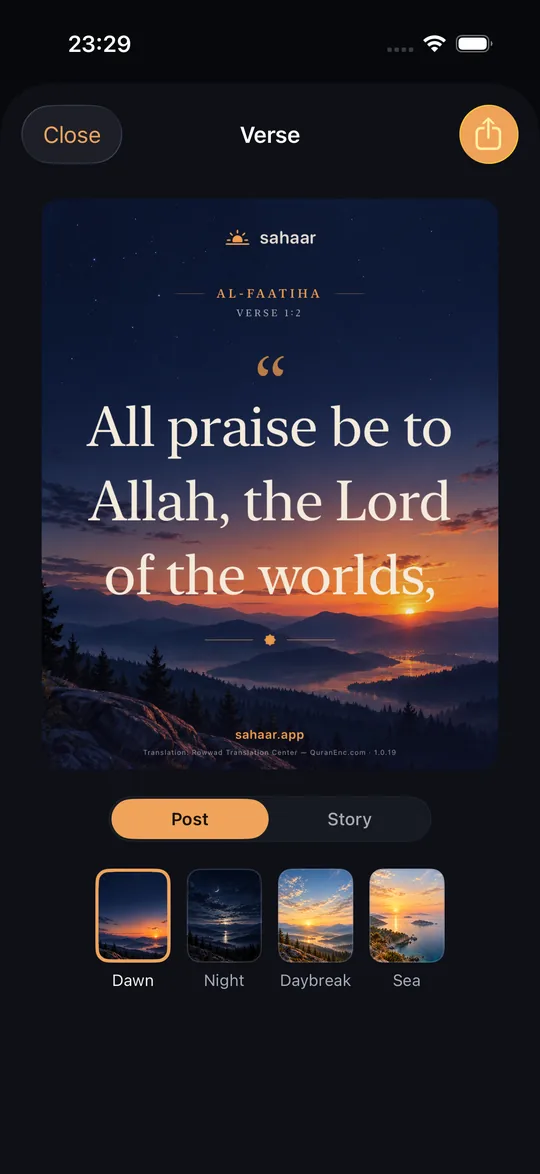
Tap the share icon on any verse and its translation becomes a Sahaar card. Pick one of four backgrounds and a Post or Story size; the surah, verse number, source and translation version are printed on the card. No verse is ever cut short.
Rhythm
Keep track of what you prayed
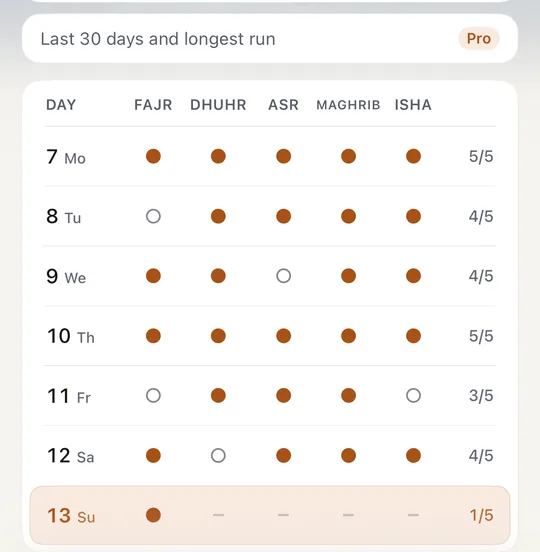
Mark a prayer as done on the Today screen and the Rhythm tab keeps count by week and by month: what percentage of prayers you prayed in the last 30 days, and your longest run of days with all five. Missing one doesn’t wipe the record. It stays on your iPhone; nothing is uploaded and nobody else sees it.
Correct a prayer record
Tap a day in Rhythm to review its five prayers. You can correct today’s marks for free; editing earlier days is part of Sahaar Pro.
Dhikr
A counter that stays out of the way
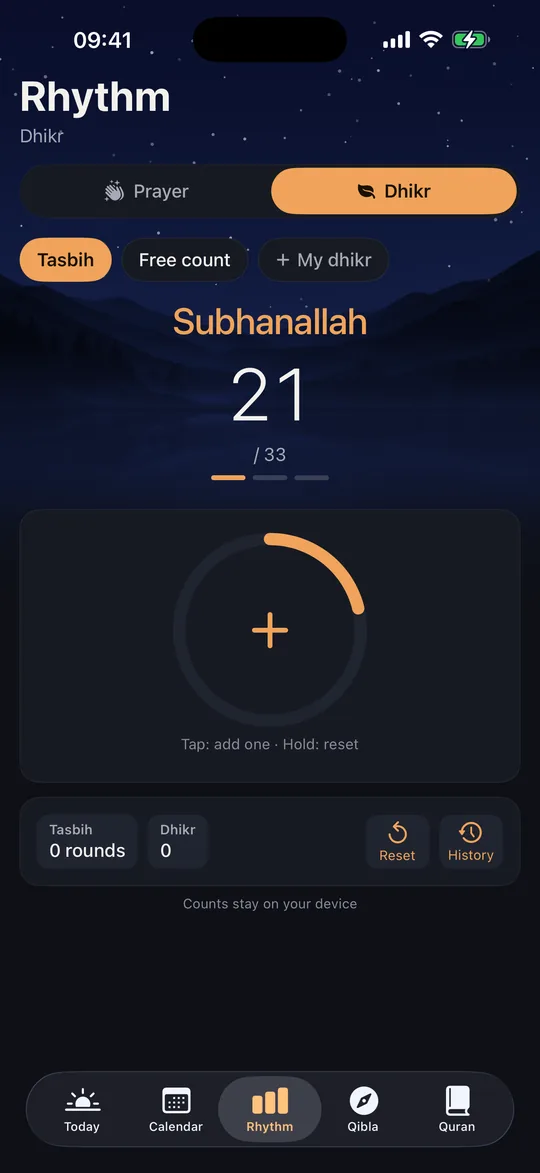
Tap the counter to count, with a light tap back each time and a different one when you finish a round. The tasbih preset for after prayer (33 · 33 · 33) works fully on the free plan, with no limit on taps.
Sahaar Pro adds a list of your own dhikr, each with a name and a goal, a daily target, your last seven days, the Apple Watch counter and the Dhikr widget.
Follow your own dhikr routine
With Sahaar Pro, put your personal dhikr list in the order you want and turn on Routine. When you reach one item’s target, the counter moves to the next item in that order.
A small app, on purpose.
No social feed, no mosque finder, no streaks to defend, no leaderboard. Sahaar does a few things: reliable times, an alarm that rings when it should, and the Quran to read in between, in a quiet app that asks nothing of you.
Privacy
No ads. No tracking. No account.
There is no account to create. Sahaar shows no ads, sells nothing about you, uses no advertising ID, and carries no third-party tracking or analytics SDKs. Your location is used on your device to work out prayer times and the qibla, and it never reaches our servers. The prayers you mark as done stay on your device too. (Place names, maps and weather go to Apple’s services, as your iPhone does for any app.)
The only thing the app sends us is fourteen anonymous counters, such as “setup finished” and “trial started”, at most once per event per day. They carry no identifier, no IP is stored, no personal data, and nothing about your religious practice is ever sent, not even anonymously. If you’d rather they didn’t go at all, switch them off in Settings › Privacy.
This website is a separate matter. These pages are measured with Google Analytics so we can see which ones people read. Visitors from the EU/EEA, the UK and Switzerland are counted without cookies, because consent is denied by default there and we never ask you to change it. No visit to this site is ever linked to anything you do in the app. How the site is measured.
Pricing
Free to use. Sahaar Pro when you want more.
Prayer times, notifications and the real Fajr alarm are free, for good. Sahaar Pro adds alarms for every prayer, the adhan and custom sounds, history and six more widgets. Both Pro plans start with a 7-day free trial through the App Store, so you pick a plan and confirm it with your usual payment method. Unless you cancel at least 24 hours before the trial ends, the plan you picked begins. Cancelling takes one tap in Settings › your name › Subscriptions.
Best value
Yearly
$19.99 / year
The cheapest way to keep it
Monthly
$3.99 / month
Stop whenever you like
| Feature | Free | Pro |
|---|---|---|
| Today | ||
| Live sky, time to the next prayer, 24-hour dial | ||
| Prayer list, marking prayed, Friday label | ||
| Weather, Hijri date, verse of the day, source label | ||
| Prayer times | ||
| 18 methods, Türkiye profile, authority rules and tables | ||
| Asr measure, extra times and karahah | ||
| Minute fine-tuning (±15 min) | ||
| Alarms and notifications | ||
| A real Fajr alarm, with its timing | ||
| Notifications for all five, end-of-window reminder | ||
| Real alarms for Dhuhr, Asr, Maghrib and Isha | ||
| The adhan and five original sounds, per prayer | ||
| Snooze length | 9 min | Your choice |
| Alarms set ahead | 14 days | 60 days |
| Calendar and Rhythm | ||
| Monthly calendar, Ramadan timetable, religious days, share image | ||
| This week’s prayer grid | ||
| Export to Calendar and PDF | ||
| Month view, history, longest run, fasting column | ||
| Quran | ||
| Reading, translation, tafsir, search, where you left off, khatm card | ||
| Recitation, from any verse, word by word | ||
| Translation read aloud | ||
| Verse share image | ||
| Offline recitation, surahs in progress, reading plan | ||
| Qibla, dhikr, rak’ahs | ||
| Compass, satellite map, angle and distance | ||
| Dhikr counter and tasbih, Rak’ahs page | ||
| Your own dhikr, goals and history | ||
| Across your iPhone | ||
| Widgets | 2 basic | + 6 more |
| Live Activity countdown | In Ramadan | All year |
| Control Center and Siri | Fajr alarm | All alarms |
| Apple Watch: times and complications | ||
| Apple Watch dhikr counter | ||
- Family Sharing supported.
- Prices vary by region.
- iPhone, iOS 26 or later.
Frequently asked questions
How do I try it?
Download it from the App Store. The app is free, no trial needed. Sahaar Pro has a 7-day free trial on the purchase screen; Apple runs it and takes the first payment when it ends, so cancel at least 24 hours before that and you pay nothing.
Will the alarm really ring when my phone is on silent?
Yes. Sahaar uses an AlarmKit alarm rather than a notification: it rings in silent mode and in Focus, does not cut off after 30 seconds, and keeps going until you answer it. Prayers you would rather not be woken for can be set to a notification, or switched off.
Which calculation method does it use?
Whichever one you follow. Sahaar has 18, including ISNA, Muslim World League, Umm al-Qura, Egypt, Karachi, Moonsighting Committee and the Diyanet method, plus the standard and Hanafi Asr measures (1× / 2× shadow) and high-latitude rules. The method and source are labelled on screen, not hidden in settings.
Does it work offline, and when I travel?
Yes to both. Times are calculated on the phone, so they are there with no signal; only place names, maps and weather need a connection. When you move far enough, or cross into another country or time zone, Sahaar picks up the new location and brings the times with it.
Can I use it for free?
Yes. Prayer times, notifications, a real Fajr alarm, qibla, calendar, the Quran, the standard widgets and the Watch app are free, with no ads and no tracking. Sahaar Pro is an optional subscription for alarms on every prayer, the adhan and custom sounds, history and six more widgets: a 7-day free trial, then yearly or monthly. Apple runs the trial, so it becomes the plan you picked unless you cancel at least 24 hours before it ends. If Pro ends, the Fajr alarm and everything free keep working.
Are the widgets free?
Two are: Next prayer and Today’s prayer times. Sahaar Pro adds six more: a day timeline, two prayer times together, one-tap prayer marking, a dhikr count, and two for the Quran.
Does it work with Siri?
Yes. Ask for the next prayer, when iftar is, or to turn the Fajr alarm on or off; all of these are free. Setting alarms for every prayer by voice is part of Sahaar Pro.
Prayer, at the right time.
Sahaar is on the App Store, free to use. Sahaar Pro starts with a 7-day free trial; cancel before it ends and you pay nothing.